We pay for the servers and plans we use. Links marked as affiliate links earn us a commission at no cost to you; it never changes what we recommend. Details.
"Which server do I need for Coolify?" usually gets the answer "it depends". It depends on three numbers, and we have measured all three on our own server. This post turns them into a shopping list with today's prices.
What Coolify needs, measured
| What | Number | Where it comes from |
|---|---|---|
| Coolify's own containers at idle | about 250 MB | docker stats on our server |
| Memory in use right after install | 618 MB of 961 MB | free -m, four containers healthy |
| Peak while building a small Node app | 720 MB RAM plus 669 MB swap | sampled every 5 s during the build |
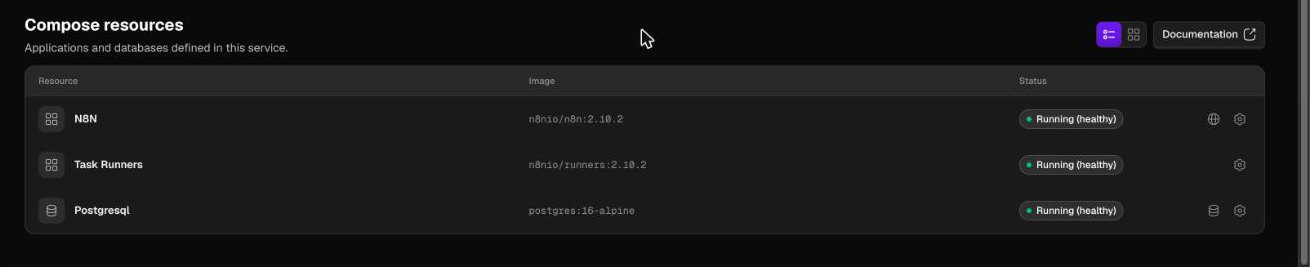
| Peak while deploying n8n with Postgres | 875 MB of swap in use | our n8n on Coolify test |
| Disk after install | 7.1 GB | df -h |
| Disk after the first build | 11 GB | df -h |
The docs ask for 2 cores and 2 GB. The numbers say why: Coolify idles well inside 1 GB, and it is the build that needs the second gigabyte. On a 1 GB server that second gigabyte is swap, which works and is slow. The full reasoning is in Can Coolify run on 1 GB of RAM?
So there are three sensible sizes:
- 1 GB plus swap: Coolify and one or two small apps, builds are slow. What we run.
- 2 GB: what the docs recommend. Builds stay in memory.
- 4 GB or more: Coolify plus a database, n8n, or anything else with an appetite.
1 GB: the cheapest plans that work
| Provider | Plan | Per month | vCPU | RAM | Disk | Transfer | Per GB of RAM | How it is billed |
|---|---|---|---|---|---|---|---|---|
| Cherry Servers | Cloud VPS 1 (Gen 2) | $3.51 | 1 | 1 GB | 20 GB SSD | 1 TB | $3.51 | one-month term; billed by the hour it costs $0.018/h, about $13 a month |
| Kamatera | Basic | $4.00 | 1 | 1 GB | 20 GB NVMe | 5 TB | $4.00 | monthly or by the minute |
| Akamai (Linode) | Nanode 1 GB | $5.00 | 1 | 1 GB | 25 GB | 1 TB | $5.00 | hourly, capped per month |
| KnownHost | Entry, unmanaged | $5.00 | 1 | 1 GB | 25 GB NVMe | 2 TB | $5.00 | "starting at", term not stated |
| Vultr | Cloud Compute, Regular | $5.00 | 1 | 1 GB | 25 GB SSD | 1 TB | $5.00 | hourly |
| OVHcloud | VPS-1 | $5.35 | 2 | 4 GB | 40 GB NVMe | Unlimited at 500 Mbps | $1.34 | monthly, no commitment |
| Contabo | Cloud VPS 4 | €5.50 | 4 | 8 GB | 100 GB SSD | Unlimited, fair use, 200 Mbit/s | €0.69 | one-month term |
| Database Mart | Express Linux VPS | $5.99 | 2 | 4 GB | 60 GB SSD | Unmetered at 100 Mbps | $1.50 | monthly, same price on every term; shared IP address; a dedicated one is listed at $2 a month |
| DigitalOcean | Basic Droplet, Regular | $6.00 | 1 | 1 GB | 25 GB SSD | 1,000 GiB | $6.00 | per second, capped per month |
| Ultahost | VPS Basic | $6.89 | 1 | 1 GB | 30 GB NVMe | not stated | $6.89 | monthly, sale price (list $9.29) |
| AWS Lightsail | Linux bundle with IPv4 | $7.00 | 2 | 1 GB | 40 GB SSD | 2 TB | $7.00 | hourly, capped per month |
| Hetzner | CX23 (Germany, Finland) | $7.09 (€5.99) | 2 | 4 GB | 40 GB NVMe | 20 TB | $1.77 | hourly, capped per month; listed as not available on 2 Oct |
| Scala Hosting | Self-managed Config #1 | $24.95 | 2 | 4 GB | 50 GB NVMe | not stated | $6.24 | one-month term |
Two things to check before picking the cheapest line:
- Disk. Cherry Servers' and Kamatera's entry plans have 20 GB. With 11 GB used after one build on our server, that leaves little room for images and logs. 25 GB is workable; 40 GB is comfortable.
- The 4 GB plans in this table. OVHcloud, Contabo, Hetzner and Database Mart have no 1 GB plan, and their smallest one costs about the same as everyone else's 1 GB. If one of them suits you, skip the 1 GB tier altogether.
- A shared IP address. Database Mart's $5.99 plan shares its address with other customers. Coolify's proxy has to answer on ports 80 and 443, so count the dedicated address ($2 a month on its page) or take the next plan, where it is included. Details in Database Mart VPS pricing explained.
2 GB: what the docs recommend
| Provider | Plan | Per month | vCPU | RAM | Disk | Transfer | Per GB of RAM | How it is billed |
|---|---|---|---|---|---|---|---|---|
| OVHcloud | VPS-1 | $5.35 | 2 | 4 GB | 40 GB NVMe | Unlimited at 500 Mbps | $1.34 | monthly, no commitment |
| Contabo | Cloud VPS 4 | €5.50 | 4 | 8 GB | 100 GB SSD | Unlimited, fair use, 200 Mbit/s | €0.69 | one-month term |
| Database Mart | Express Linux VPS | $5.99 | 2 | 4 GB | 60 GB SSD | Unmetered at 100 Mbps | $1.50 | monthly, same price on every term; shared IP address; a dedicated one is listed at $2 a month |
| Cherry Servers | Cloud VPS 2 (Gen 2) | $7.02 | 2 | 2 GB | 40 GB SSD | 1 TB | $3.51 | one-month term |
| Hetzner | CX23 (Germany, Finland) | $7.09 (€5.99) | 2 | 4 GB | 40 GB NVMe | 20 TB | $1.77 | hourly, capped per month; listed as not available on 2 Oct |
| KnownHost | Entry Plus, unmanaged | $10.00 | 2 | 2 GB | 50 GB NVMe | 3 TB | $5.00 | "starting at", term not stated |
| Vultr | Cloud Compute, Regular | $10.00 | 1 | 2 GB | 55 GB SSD | 2 TB | $5.00 | hourly |
| AWS Lightsail | Linux bundle with IPv4 | $12.00 | 2 | 2 GB | 60 GB SSD | 3 TB | $6.00 | hourly, capped per month |
| Akamai (Linode) | Linode 2 GB | $12.00 | 1 | 2 GB | 50 GB | 2 TB | $6.00 | hourly, capped per month |
| DigitalOcean | Basic Droplet, Regular | $12.00 | 1 | 2 GB | 50 GB SSD | 2,000 GiB | $6.00 | per second, capped per month |
| Ultahost | VPS Business | $12.29 | 2 | 2 GB | 50 GB NVMe | Unlimited | $6.14 | monthly, sale price (list $16.29) |
| Scala Hosting | Self-managed Config #1 | $24.95 | 2 | 4 GB | 50 GB NVMe | not stated | $6.24 | one-month term |
4 GB and up: room for a database or n8n
| Provider | Plan | Per month | vCPU | RAM | Disk | Transfer | Per GB of RAM | How it is billed |
|---|---|---|---|---|---|---|---|---|
| OVHcloud | VPS-1 | $5.35 | 2 | 4 GB | 40 GB NVMe | Unlimited at 500 Mbps | $1.34 | monthly, no commitment |
| Contabo | Cloud VPS 4 | €5.50 | 4 | 8 GB | 100 GB SSD | Unlimited, fair use, 200 Mbit/s | €0.69 | one-month term |
| Database Mart | Express Linux VPS | $5.99 | 2 | 4 GB | 60 GB SSD | Unmetered at 100 Mbps | $1.50 | monthly, same price on every term; shared IP address; a dedicated one is listed at $2 a month |
| Hetzner | CX23 (Germany, Finland) | $7.09 (€5.99) | 2 | 4 GB | 40 GB NVMe | 20 TB | $1.77 | hourly, capped per month; listed as not available on 2 Oct |
| Cherry Servers | Cloud VPS 4 (Gen 2) | $10.53 | 4 | 4 GB | 80 GB SSD | 1 TB | $2.63 | one-month term |
| Ultahost | VPS Professional | $19.59 | 3 | 4 GB | 75 GB NVMe | Unlimited | $4.90 | monthly, sale price (list $26.29) |
| Vultr | Cloud Compute, Regular | $20.00 | 2 | 4 GB | 80 GB SSD | 3 TB | $5.00 | hourly |
| AWS Lightsail | Linux bundle with IPv4 | $24.00 | 2 | 4 GB | 80 GB SSD | 4 TB | $6.00 | hourly, capped per month |
| Akamai (Linode) | Linode 4 GB | $24.00 | 2 | 4 GB | 80 GB | 4 TB | $6.00 | hourly, capped per month |
| DigitalOcean | Basic Droplet, Regular | $24.00 | 2 | 4 GB | 80 GB SSD | 4,000 GiB | $6.00 | per second, capped per month |
| Scala Hosting | Self-managed Config #1 | $24.95 | 2 | 4 GB | 50 GB NVMe | not stated | $6.24 | one-month term |
Beyond the price
Try before you commit. Coolify installs in a few minutes, so an hour on the plan you are considering tells you more than any table. That only costs cents where billing is per second or per hour (DigitalOcean, Vultr, Akamai, Hetzner, AWS Lightsail). A one-month term (Cherry Servers, Contabo) means paying for the month.
A firewall outside the server. Coolify publishes its dashboard on port 8000, and plain UFW does not close ports that Docker publishes. A provider firewall is the simple fix. DigitalOcean's Cloud Firewall is free, which we checked for the ports and firewall post. For any other provider, look for a cloud firewall in the control panel before you buy, or plan to add rules to Docker's own chain on the server.
Swap on small plans. On 1 GB or 2 GB, add a swap file before you install anything. The commands are in the install guide.
Stock. Hetzner's cheapest plans were listed as not available on 2 Oct 2026. A price is only useful if you can order the server.
Arm servers. Hetzner's CAX line is Arm. We have only run Coolify on x86 and have not checked every app template on Arm, so we are not recommending it here.
What we tested and what we did not
Tested by us, hands-on: Coolify on DigitalOcean's $6 plan, including a real build and an n8n deployment. Not tested: Coolify on any other provider in the tables. The plans are there because their memory and disk fit the numbers above and their prices were read on 2 Oct 2026; whether their CPUs and disks are fast enough for your builds is something only a trial hour tells you. When we move the bench to a second provider, this post gets the results and a new date.
All 15 providers, the long-term discounts and the fine print are in the VPS price per GB of RAM comparison.
FAQ
How much RAM does Coolify need?
Coolify's own containers used about 250 MB at idle on our server, and 618 MB was in use right after install. Builds need more: a small Node app peaked at 720 MB of RAM plus 669 MB of swap. That is why 1 GB works only with a swap file and why the docs recommend 2 GB.
What is the cheapest VPS that can run Coolify?
Any plan with 1 GB of RAM, a swap file and at least 25 GB of disk. On 2 Oct 2026 that started at $5 a month at Vultr and Akamai (Linode) and $6 at DigitalOcean, the one we run. OVHcloud sold 4 GB for $5.35.
Is a 20 GB disk enough for Coolify?
It is tight. Our server used 7.1 GB after installing Coolify and 11 GB after the first build. Docker images and build cache grow from there, so 25 GB is a practical minimum and 40 GB is comfortable.
Should I buy 1 GB or 4 GB for Coolify?
If the price is the same, 4 GB. Several providers now sell 4 GB for what a 1 GB plan costs elsewhere, and the extra memory removes the slow, swap-bound builds.
Sources
Read on 2 Oct 2026:
- DigitalOcean: pricing page and its plan data.
- Hetzner: plan pages plus the price API the page loads; prices with one IPv4 address.
- Vultr: pricing page and public plans API.
- Akamai (Linode): pricing page and public API.
- OVHcloud: VPS page (world, USD) and order catalog.
- Contabo: VPS page and Cloud VPS 4 configurator, EUR.
- AWS Lightsail: pricing page, bundles with a public IPv4 address.
- Cherry Servers: pricing page data.
- Kamatera: pricing page.
- KnownHost: unmanaged VPS page.
- Ultahost: VPS page with the billing-term switch.
- Scala Hosting: self-managed cloud VPS page.
- Database Mart: VPS page, Linux plans and their per-term prices.
- Hostinger: VPS page.
- IONOS: VPS page, US site.
- Cloudways: pricing page and its plan data.
- Coolify: pricing page.
Used in this article
- DigitalOceanThe $6 Basic droplet (1 vCPU, 1 GB RAM, 25 GB SSD) our test server runs on.Visit DigitalOcean
- Hetzner CloudVisit Hetzner Cloud
- ContaboVisit Contabo
- Database MartVPS, dedicated and GPU servers. Affiliate link (Awin).Visit Database Mart
Affiliate link: we may earn a commission if you sign up, at no cost to you. Details.