We pay for the servers and plans we use. Links marked as affiliate links earn us a commission at no cost to you; it never changes what we recommend. Details.
Coolify's requirements page and the forum answers disagree with each other, and both disagree with the people who say "just get 4 GB". We read the current docs and put them next to the numbers from our own 1 GB server.
Watch it instead
The comparison as a 5-minute video: Can Coolify really run on 1 GB RAM? Docs vs measured (YouTube). The 37-second version: the docs say 2 GB, Coolify itself uses 252 MB.
What the docs say today
The Coolify installation docs list these minimums:
| Item | Minimum in the docs |
|---|---|
| CPU | 2 cores |
| Memory | 2 GB RAM |
| Disk | 10 GB free space |
| Architecture | amd64 or arm64 |
Right below the table is the part most people miss. Quoting the docs: "Coolify can run on smaller servers (for example: 1 CPU core, 512 MB RAM, 4 GB disk), but this is not recommended. If cost is a concern, start with a server 1 CPU core and 1 GB RAM, and upgrade the server as your workloads grow or if it becomes slow due to limited resources."
And then the warning that matters: "If you're running both builds and Coolify on the same server, monitor your resource usage. High resource usage could make your server unresponsive."
So the official position is: 2 GB is the minimum they stand behind, 1 GB is an acceptable budget start, and builds are the risk.
What we measured on 1 GB
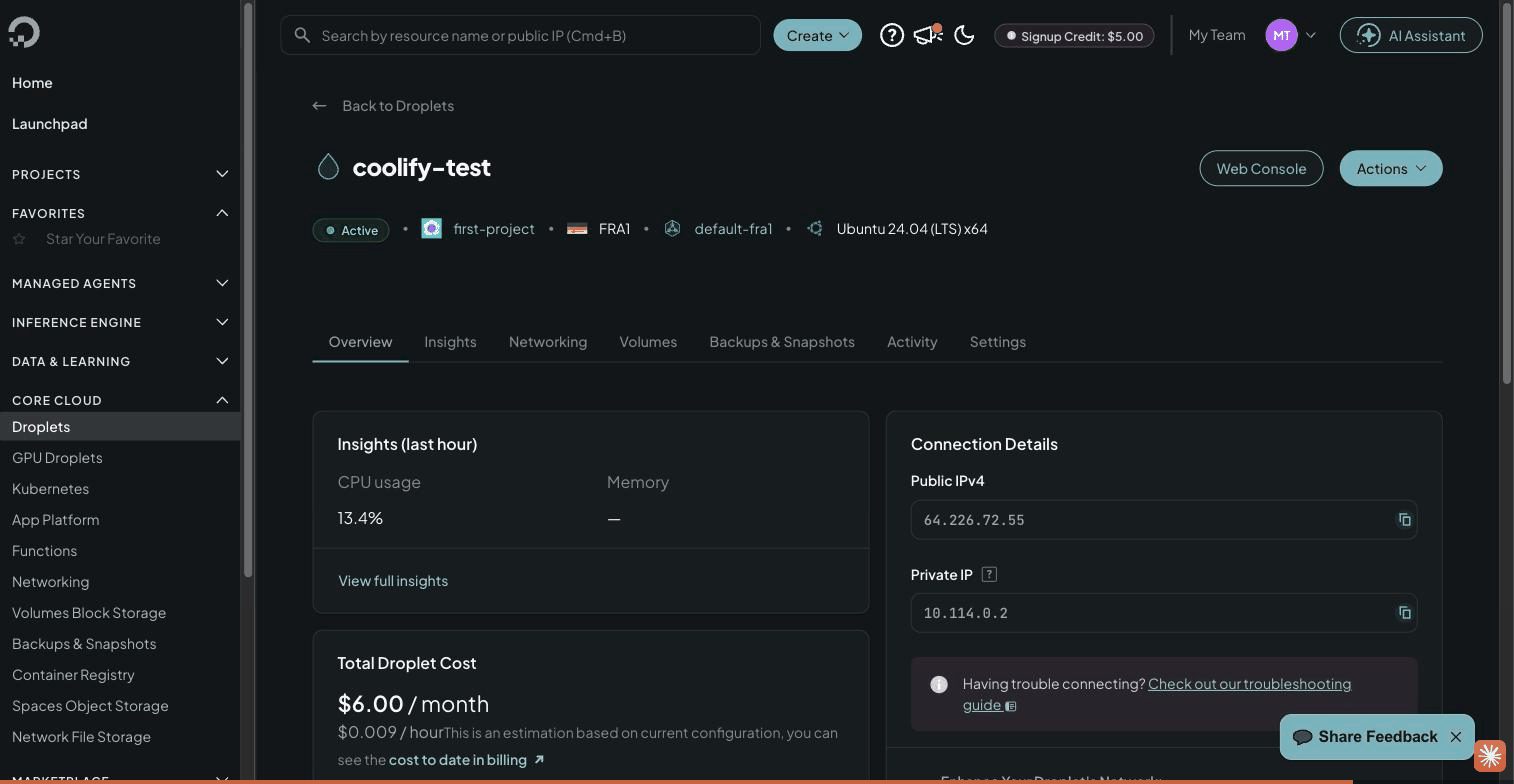
These numbers come from our timed Coolify install on a $6 droplet. The droplet reports 961 MB of usable memory.
| Moment | RAM used | Swap used |
|---|---|---|
| Idle, right after the install | 618 MB | 32 MB |
npm install during the first build | 765 MB | 498 MB |
| Image export, the peak | 720 MB | 669 MB |
| App running, 5 minutes later | 648 MB | 478 MB |
The idle figure is the whole machine: kernel, Docker and page cache included. Coolify's own containers are a small part of it. From docker stats after the deploy:
| Container | Memory |
|---|---|
| coolify | 150 MB |
| coolify-proxy (Traefik) | 38 MB |
| coolify-realtime | 25 MB |
| coolify-db (Postgres) | 23 MB |
| coolify-sentinel | 9 MB |
| coolify-redis | 7 MB |
| Coolify total | 252 MB |
Disk is the other number to watch. A fresh Ubuntu 24.04 droplet with Coolify installed used 7.1 GB, and 11 GB after one app build. The 512 MB example in the docs mentions a 4 GB disk; on our install that would not have been enough. The docs are not consistent with themselves here: the requirements table says 10 GB free, while the troubleshooting page for failed installs asks for a minimum of 30 GB total and 20 GB available. Our 25 GB droplet sits between the two and has worked so far.
Where 1 GB breaks: the build
Running apps is cheap. Our sample Node app uses 31 MB. Building them is not. At the peak of the first build the server was using 720 MB of RAM and 669 MB of swap at the same time, about 1.4 GB of demand on a machine with 961 MB. Without swap that build cannot fit, and the kernel's out-of-memory killer picks a victim: the build, or one of Coolify's own containers.
With a 2 GB swap file the build was slow (the load average reached 7 on one core) but it finished, and the app was answering 210 seconds after the Deploy click.
Three rules for running Coolify on 1 GB
- Add swap before you install. Two gigabytes is enough. The commands are in step 2 of the install guide.
- Build heavy things somewhere else. For anything larger than a static site or a small Express or Flask app, build the image in GitHub Actions and let Coolify pull it. The server then only has to run containers, which is the cheap part.
- Keep the count low. One or two small apps and one database. Three databases on 1 GB will have the machine swapping all day.
When to pay for 2 GB
If an app has real users, or you want to build on the server without thinking about it, take the 2 GB plan. On DigitalOcean that is $12 a month instead of $6 for 1 vCPU and 2 GB, which meets the memory minimum in Coolify's docs (the 2-core, 2 GB droplet is $18). What each plan costs once backups and bandwidth are counted is in DigitalOcean droplet pricing explained. If memory per dollar matters more than data centre choice, Database Mart's 6 GB plan with a dedicated IP is $9.99 a month, US only and non-refundable: the details.
FAQ
What are Coolify's minimum requirements?
The docs list 2 CPU cores, 2 GB of RAM and 10 GB of free disk on an amd64 or arm64 server. They also say Coolify can run on less, and suggest 1 core and 1 GB as the budget starting point.
How much RAM does Coolify itself use?
About 250 MB. On our server the six Coolify containers (app, proxy, realtime, Postgres, Sentinel, Redis) used 252 MB together. The whole machine, with the kernel and Docker, sat at 618 MB used when idle.
Do I need swap to run Coolify on 1 GB?
For running it, no: idle use was 618 MB of 961 MB. For building apps on the server, yes. Our first build needed about 1.4 GB in total, which only fits with swap.
Will Coolify run on 512 MB?
The docs say it can, and that it is not recommended. We have not tested 512 MB. Our 1 GB server already uses 618 MB when idle, so a 512 MB machine would be swapping before any app starts.
Used in this article
- DigitalOceanThe $6 Basic droplet (1 vCPU, 1 GB RAM, 25 GB SSD) our test server runs on.Visit DigitalOcean
- Database MartVPS, dedicated and GPU servers. Affiliate link (Awin).Visit Database Mart
Affiliate link: we may earn a commission if you sign up, at no cost to you. Details.