Hands-on review. We paid for the plans we tested. Links marked as affiliate links earn us a commission at no cost to you; it never changes what we recommend. Details.
n8n is the workflow automation tool developers tend to pick when they want code nodes and their own server. Coolify has a one-click template for it. We deployed it on the same $6 DigitalOcean droplet that already runs Coolify and one small app, timed it from outside, and then went looking for the two things the template does not do for you: certificates you can trust and backups you can restore.
What Coolify gives you
Coolify 4.3.23 offers three n8n templates: plain n8n on SQLite, n8n with Postgres, and n8n with Postgres and a worker for queue mode.
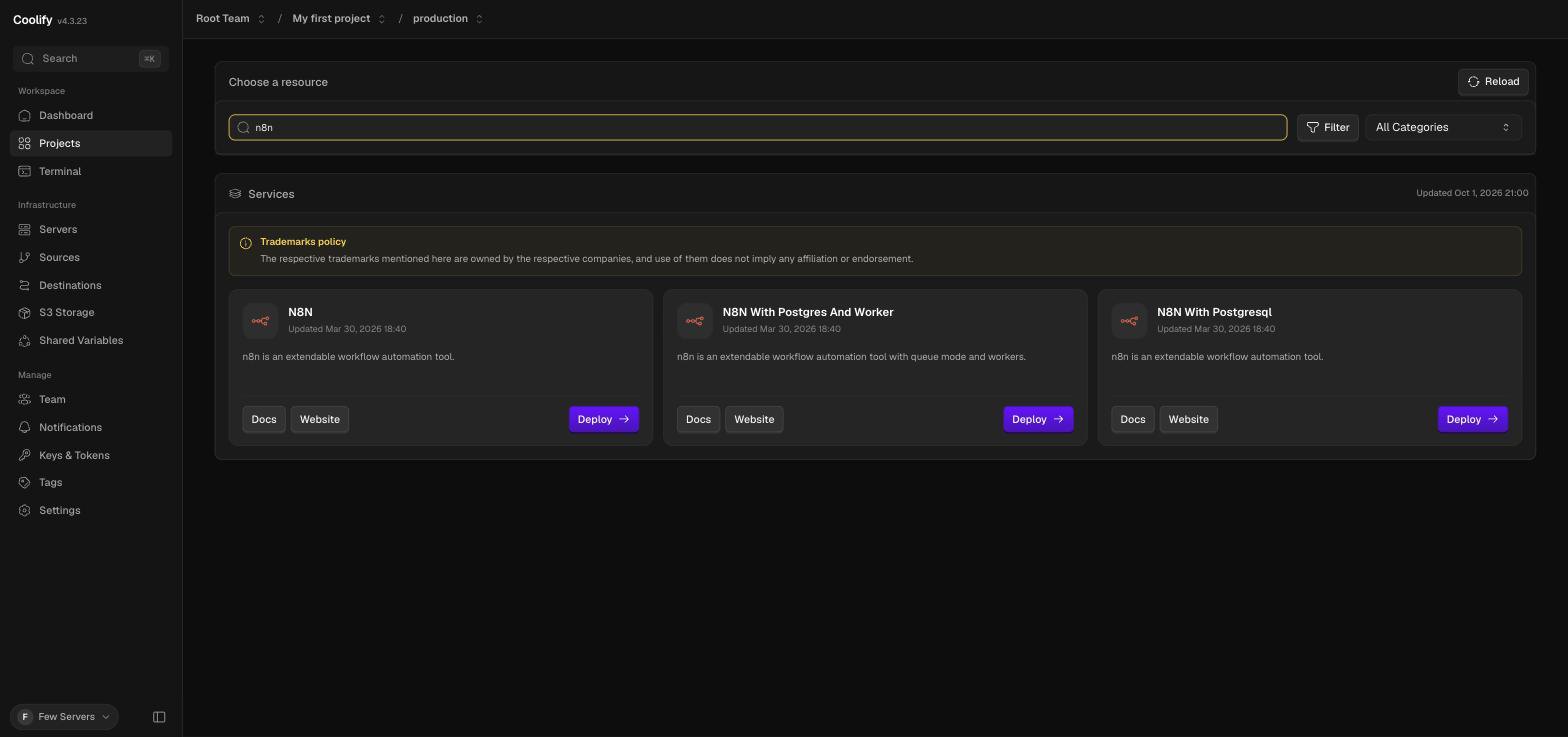
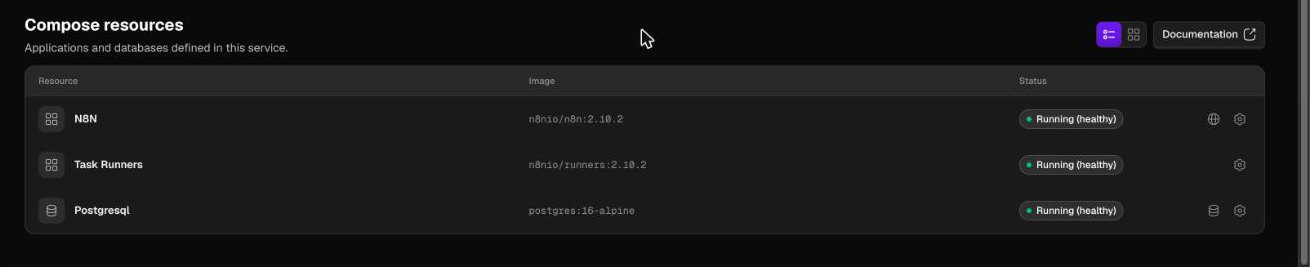
We took N8N With Postgresql. It creates three containers, all pinned to fixed versions:
| Container | Image | Size on disk |
|---|---|---|
| n8n | n8nio/n8n:2.10.2 | 1.98 GB |
| task-runners | n8nio/runners:2.10.2 | 568 MB |
| postgresql | postgres:16-alpine | 420 MB |
That is 3 GB of images. Disk use on the droplet went from 8.3 GB to 12 GB of 24.
Step 1: the domain, and a warning you can ignore
Coolify generates a domain like http://n8n-<long-id>.<server-ip>.sslip.io. Note the http. n8n expects HTTPS for its login cookie, so change it before the first deploy: open Domains, edit the entry, set the protocol to https, and shorten the name if you like. We used n8n.64.226.72.55.sslip.io, which needs no DNS setup because sslip.io answers with the IP in the name. With a real domain, point an A record at the server first.
Two things happened here that are worth knowing:
- Saving showed a dialog titled "Use a different port?" saying the service requires port 5678. It appeared even with 5678 typed into the port field. Keep Required Port returned to the form without saving. Use This Port Anyway saved, and the domain list still showed internal port 5678, which is correct.
- On this 1 vCPU server the edit dialog took 5 to 10 seconds to open, and sometimes did not open on the first click.
After saving, Coolify switched on the HTTP to HTTPS redirect by itself.

Step 2: deploy (7 minutes 24 seconds)
Actions → Deploy. We timed it with a request every two seconds from another machine.
| Time after the click | What happened |
|---|---|
| 0:00 | Deploy clicked |
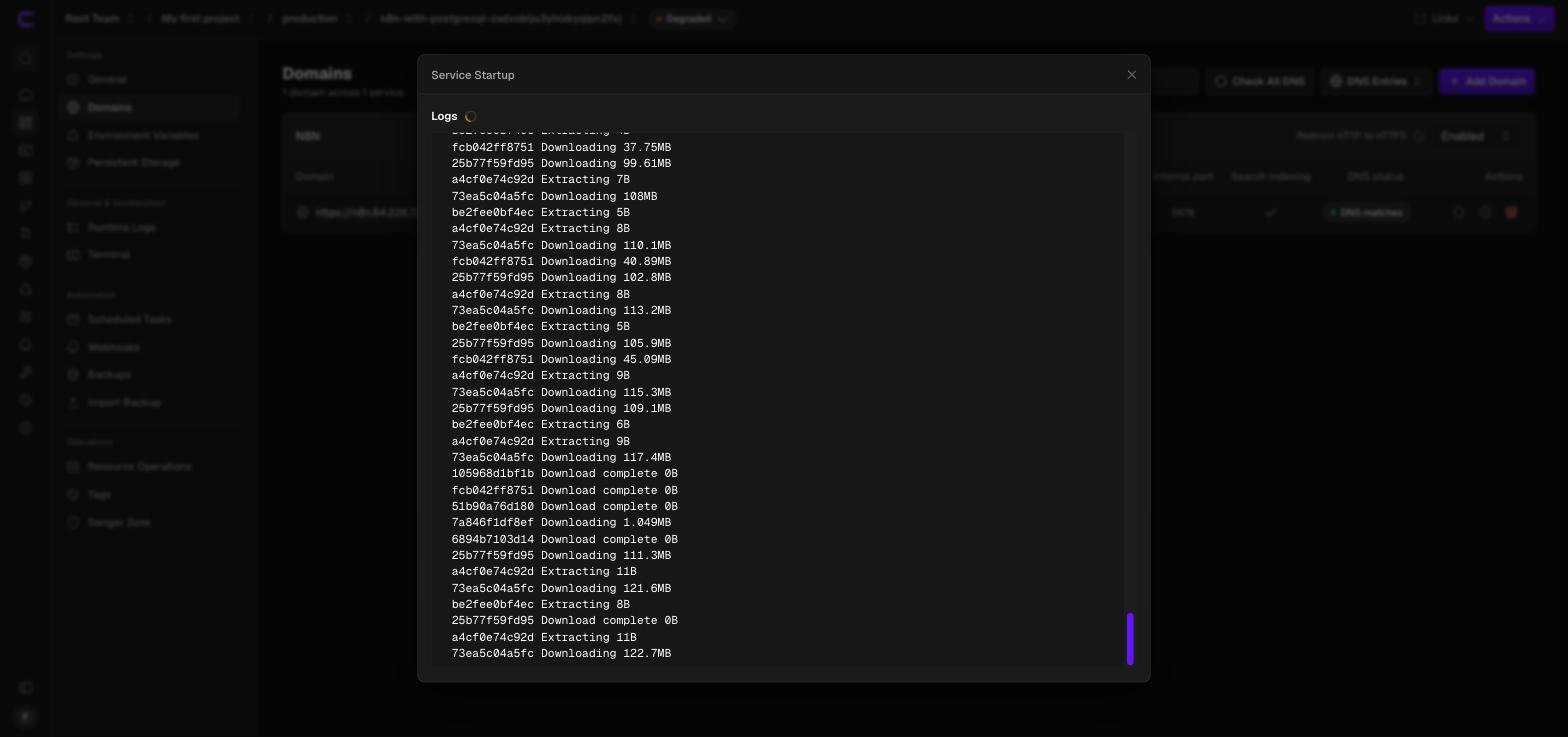
| 0:00 to 6:15 | Images pulled and extracted |
| 6:15 | Postgres container up, then n8n and the task runner |
| 6:56 | First HTTP 200 from n8n over HTTPS, still on the proxy's temporary certificate |
| 7:24 | Valid Let's Encrypt certificate in place |
Almost all of it is the image pull. On a single shared vCPU, extracting a 2 GB image is slow, and it is the hardest thing this server has been asked to do so far.
What it did to a 1 GB server
| Moment | RAM used | Swap used | Load |
|---|---|---|---|
| Before the deploy (Coolify plus one small app) | 656 MB | 502 MB | 1.2 |
| Peak during the image pull | 817 MB | 875 MB | 5.0 |
| Right after n8n started | 785 MB | 731 MB | 4.3 |
| Idle, 8 minutes later | 675 MB | 755 MB | 2.5 |
docker stats right after the start showed n8n at 239 MB, Postgres at 12 MB and the task runner at 3 MB. Eight minutes later n8n's resident memory was 46 MB: the kernel had pushed most of it out to swap. Swap in use ended about 250 MB higher than before the deploy, which is n8n's footprint, parked on disk.
It still responds. Three requests for the editor page from outside took 0.68 to 1.2 seconds. But this is a server running on its swap file, and a workflow that wakes n8n up has to page it back in first. Without the 2 GB swap file from the original install this deploy would not have fitted.
Step 3: SSL without doing anything
We checked the certificate from outside rather than trusting the padlock:
issuer=C = US, O = Let's Encrypt, CN = YR1
subject=CN = n8n.64.226.72.55.sslip.io
notAfter=Dec 31 05:34:49 2026 GMT
Coolify's proxy requested it on the first start; it arrived 28 seconds after n8n itself was up. Plain HTTP requests get a 302 to HTTPS. n8n's own settings came out right too: the container has N8N_PROTOCOL=https and WEBHOOK_URL set to the HTTPS address, so webhook URLs shown in the editor will be the public ones.
Step 4: create the owner account immediately
The first thing n8n shows is this:
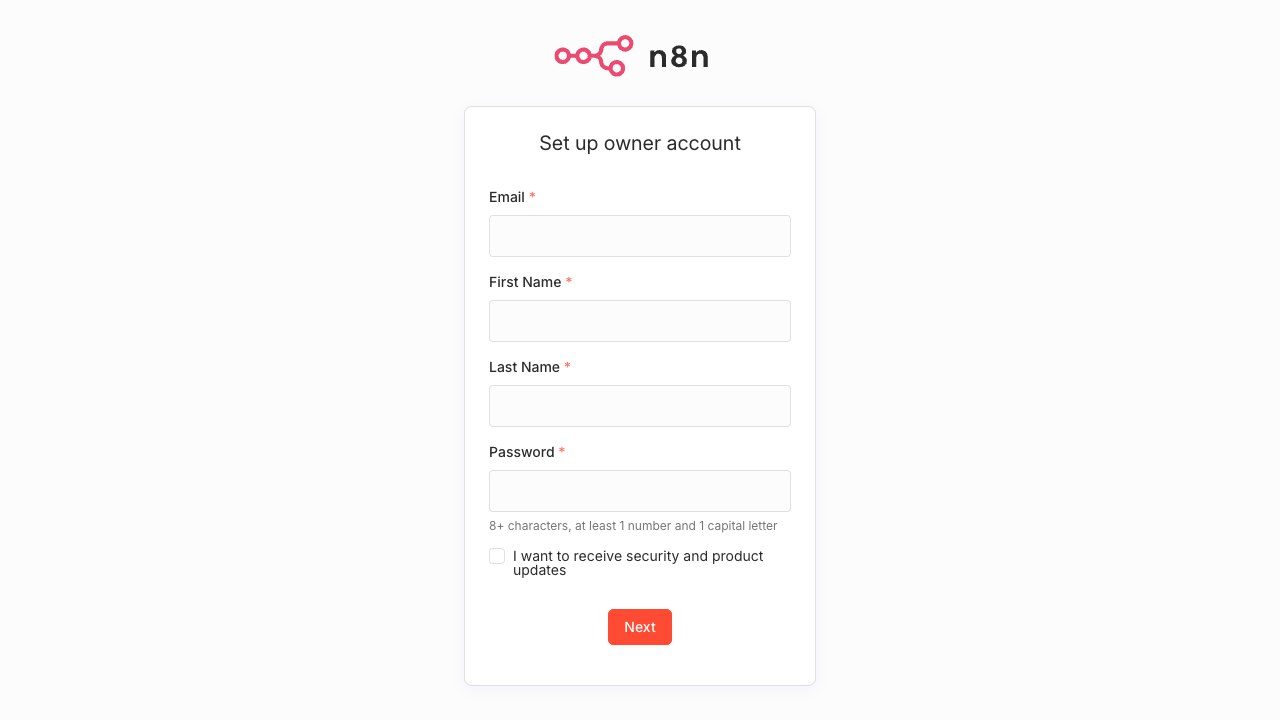
Until that form is submitted, whoever opens the URL first becomes the owner. New certificates are published in public logs within minutes, and scanners read those logs. Have the page open and ready when the deploy finishes.
Step 5: backups are off until you add one
Open Backups on the service. A fresh n8n service shows "No scheduled backups". Nothing is protecting the data until you add a schedule.
Add Backup → Database backup, choose postgresql, and type a frequency. It accepts cron syntax or words such as daily. Then press Back Up Now to prove it works instead of waiting a day.
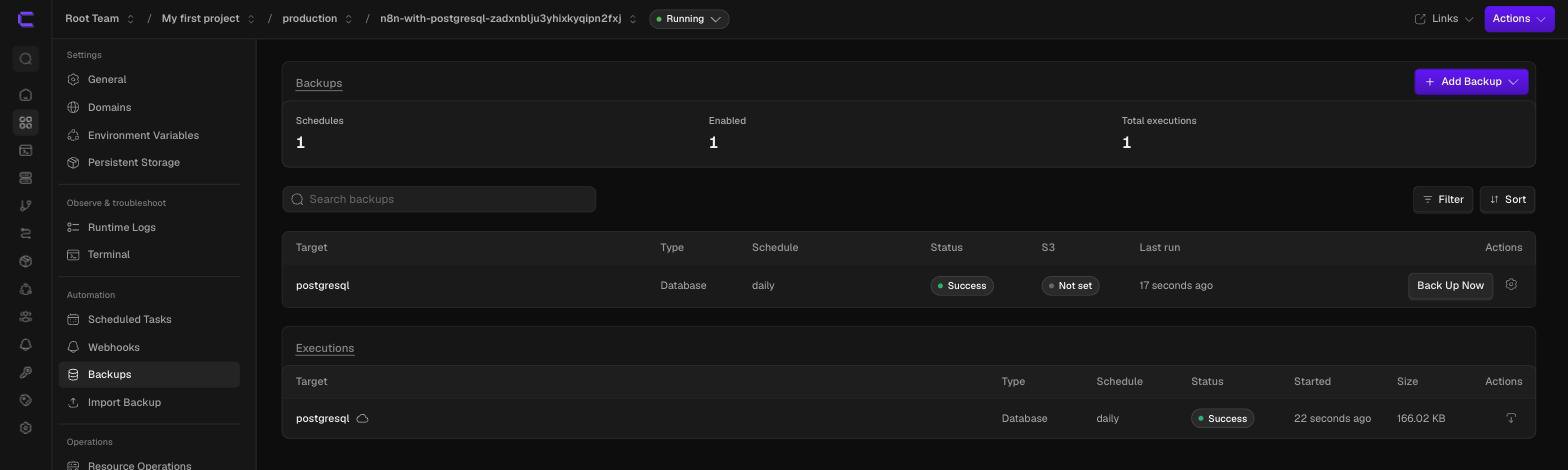
Our first backup:
| Measure | Result |
|---|---|
| Duration | 5 seconds |
| Size | 170,008 bytes (166 KB) for an 11 MB database |
| Format | pg_dump custom format, gzip compressed, 62 tables |
| Where it went | /data/coolify/backups/databases/... on the same server |
| S3 destination | "Not set" |
Read the last two rows again. By default the backup sits on the disk it is meant to protect you from losing. Coolify can send backups to S3-compatible storage, and until you configure that, a dead droplet takes the backups with it. We have not set up S3 on this server yet, so that part is untested here.
The key that is not in the database backup
n8n encrypts stored credentials with an encryption key. The template does not set N8N_ENCRYPTION_KEY, so n8n generated one on first start and wrote it to /home/node/.n8n/config, which lives in the n8n-data volume, not in Postgres. We checked: the variable is absent from the container, and the file is there.
So a restored database without that file gives you workflows whose credentials cannot be decrypted. Either add a Storage backup for the n8n-data volume next to the database backup (the option is in the same Add Backup menu; we have not run one yet), or set N8N_ENCRYPTION_KEY yourself in the service's environment variables and keep a copy somewhere safe.
Did the restore work?
We got halfway, and we would rather say so than imply more.
To have something to lose, we imported a small workflow with n8n's command line, confirmed it was in the database (one row), took the backup, and deleted the row. Then we read the backup file back without restoring it: it is a valid archive, and it contains the workflow we deleted.
; Archive created at 2026-10-02 06:38:33 UTC
;     dbname: n8n
;     TOC Entries: 413
;     Format: CUSTOM
;     Dumped from database version: 16.15
Coolify's Import Backup page accepted the file path ("The file exists") and offered Restore From File, with the import command pg_restore -U $POSTGRES_USER -d ... and a warning that existing data will be replaced.
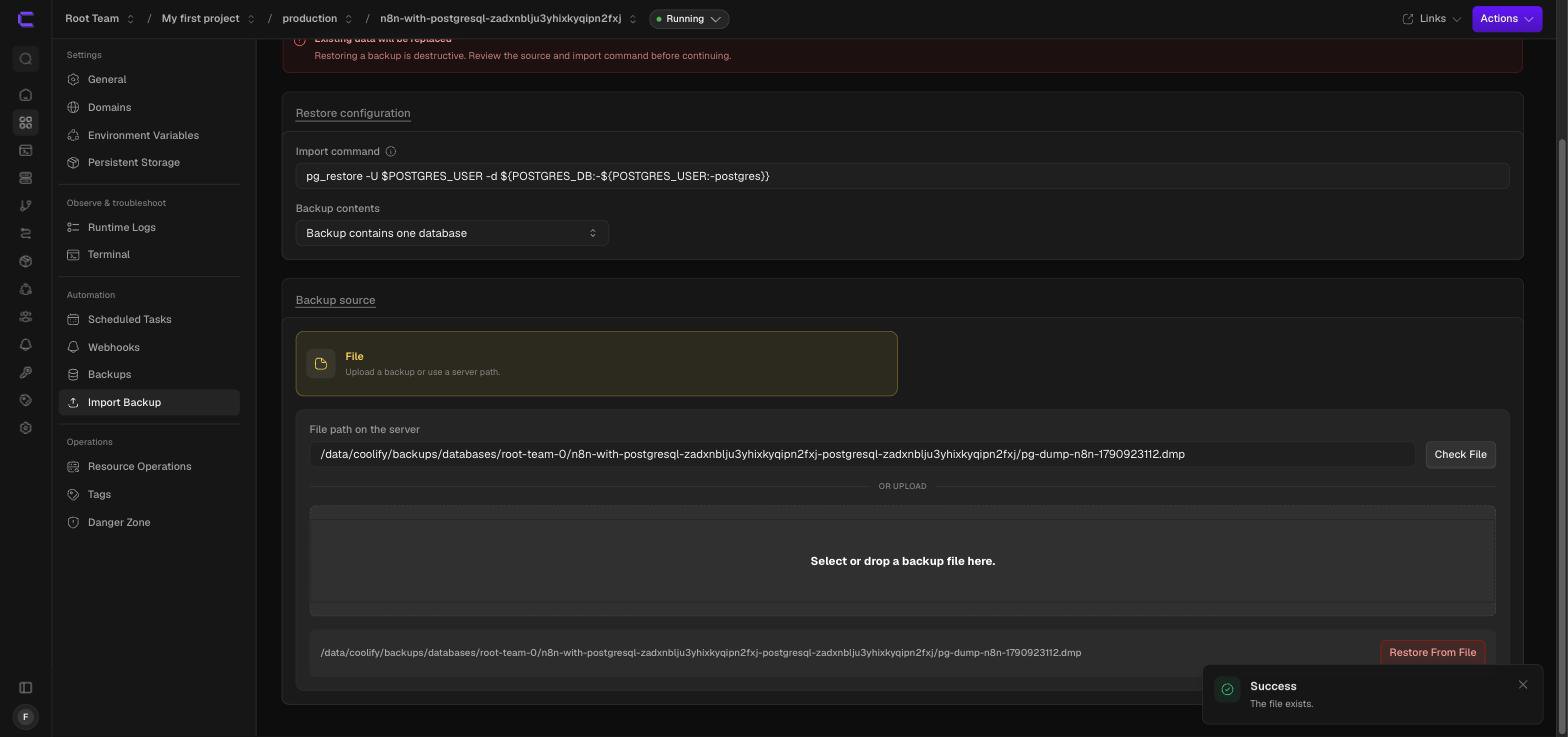
We have not pressed that button yet. Until we have, the honest statement is: the backup is real and contains the data; the restore through Coolify is untested by us. This section will be updated with the result, including whether the default command copes with a database that already has tables in it.
One small thing from the import: n8n 2.10.2 rejected a workflow file without an id field ("null value in column id"). Adding an id to the JSON fixed it.
What it costs
| Option | Monthly | What you get |
|---|---|---|
| This setup: $6 droplet, shared with Coolify | $6.00 | Unlimited workflows and executions, as fast as 1 GB allows |
| The 2 GB droplet | $12.00 | The same, without living in swap |
| n8n Cloud Starter | €20, billed annually | 2,500 executions a month, hosted and updated for you |
| n8n Cloud Pro | €50, billed annually | 10,000 executions a month |
n8n Cloud prices are from n8n's pricing page on the day of the test. The Community edition we installed is free. What you pay with self-hosting is the server, plus the time for the two jobs above that nobody does for you.
Verdict
Coolify makes the install itself trivial: one template, one domain setting, one click, and SSL arrives without being asked for. The 1 GB droplet does run it, next to Coolify and another app, and we plan to leave it running for a week and report back here.
We would not put workflows that matter on it. The numbers say the server is out of memory and coping through swap. For anything beyond a few scheduled jobs, take the 2 GB plan, add the database backup and the volume backup on day one, and send both to storage that is not the same disk.
FAQ
Can n8n run on a 1 GB VPS?
Yes, with swap. On our 1 GB droplet, which also runs Coolify, n8n started at 239 MB and was then mostly moved to swap; total swap use rose by about 250 MB. It responds in about a second, but for real workloads 2 GB is the sensible minimum.
How long does it take to deploy n8n with Coolify?
7 minutes 24 seconds on a $6 DigitalOcean droplet, from the Deploy click to a valid HTTPS certificate. About 6 minutes of that was downloading and extracting 3 GB of images on one vCPU.
Does Coolify set up SSL for n8n automatically?
Yes, if the domain is set to https. Coolify's proxy obtained a Let's Encrypt certificate 28 seconds after n8n started and redirects HTTP to HTTPS. The default generated domain uses http, so change it before the first deploy.
Does Coolify back up n8n by default?
No. A new service has no scheduled backups. Add a database backup for Postgres under Backups, and add a storage backup for the n8n-data volume, which holds the encryption key. Backups are stored on the same server unless you configure S3.
Where is the n8n encryption key stored?
In the file /home/node/.n8n/config inside the n8n-data volume, unless you set the N8N_ENCRYPTION_KEY environment variable yourself. It is not part of the Postgres database, so a database backup alone cannot restore encrypted credentials.
Next steps
- Create the owner account, then add both backups before building the first workflow.
- Put the server behind a firewall: which ports Coolify needs and which to close.
- If you are choosing a plan, DigitalOcean droplet pricing explained covers what the $6 and $12 droplets really cost. The server we used is on DigitalOcean, and the hosted alternative is n8n Cloud. For n8n without living in swap, a cheaper route to 6 GB is Database Mart's Express Plus plan.
Used in this article
- DigitalOceanThe $6 Basic droplet (1 vCPU, 1 GB RAM, 25 GB SSD) our test server runs on.Visit DigitalOcean
- n8nn8n Cloud, the hosted version, if you would rather not run the server yourself.Visit n8n
- Database MartVPS, dedicated and GPU servers. Affiliate link (Awin).Visit Database Mart
Affiliate link: we may earn a commission if you sign up, at no cost to you. Details.