We pay for the servers and plans we use. The links go straight to the vendors; no vendor pays us for them today, and that never changes what we recommend. Details.
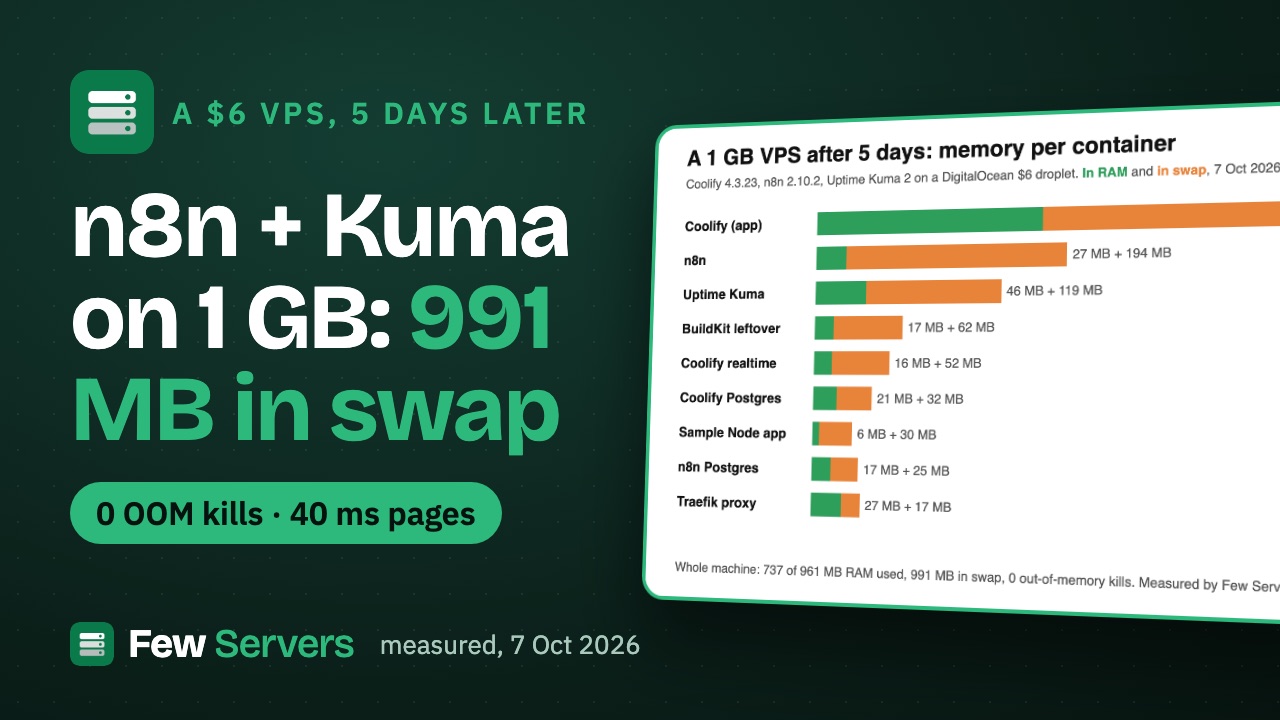
A backup you have never restored is a guess. So on our 1 GB test server, the one already running Coolify, n8n and Uptime Kuma a gigabyte deep in swap, we set up restic with the backup script from our starter kit, backed up both Postgres databases and every Docker volume, then restored everything and loaded the databases into fresh Postgres containers with a stopwatch running.
Measured 9 Oct 2026, 07:06-07:10 UTC, over SSH on our test droplet
coolify-test(DigitalOcean FRA1, $6 Basic, 1 vCPU, 1 GB RAM, Ubuntu 24.04.5), up 7 days 17 hours, with 966 MB in swap and 197 MB available before we started. restic 0.16.4 from Ubuntu's own packages, installed by60-backup.shfrom our starter kit (version 1.0.0). Timings are wall-clock from/usr/bin/time, memory is its maximum RSS, load fromvmstat 1. Everything we added was removed afterwards: the repository, the timer, the config and restic itself.
Watch it: the 3:40 video with every number, plus two Shorts: backup 27 s, restore 7 s (public 10 Oct) and don't copy the data folder (public 10 Oct).
What we backed up
The kit's backup script dumps each Postgres container with pg_dumpall, gzips the dump, then runs restic backup over the dump folder, the Docker volumes and its own config folder. We used the defaults (local repository, all volumes) and named the two Postgres containers:
| What | Size |
|---|---|
| n8n database (Postgres 16): 62 tables, 764 rows, no saved workflows at the moment | 11 MB in Postgres, 28 KB as a gzipped dump |
| Coolify database (Postgres 15): 65 tables, 1,362 rows | 16 MB in Postgres, 668 KB as a gzipped dump |
| 6 Docker volumes (Coolify DB, Redis, Uptime Kuma, n8n data, n8n Postgres, BuildKit cache) | 87 MB, 66 MB, 12 MB, 2.7 MB, 1.3 MB, 20 KB on disk |
| Total read by restic | 3,300 files, 174.8 MiB |
The n8n database is small because the instance holds no saved workflows right now; the Coolify database, with its sessions, environment variables and backup history, is the more realistic test of the two.
The numbers
| Step | Wall time | Peak RAM (max RSS) | Result |
|---|---|---|---|
Install: apt install restic, generate the password, restic init, nightly timer | 52.0 s | 174 MB (apt) | Repository ready |
| First backup: 2 dumps + 6 volumes | 27.0 s (restic itself 16 s) | 71 MB | 139.2 MiB added, 23.0 MiB stored, repository 25 MB on disk |
| Second backup, a minute later | 13.0 s (restic itself 2 s) | 65 MB | 7 files changed, 1.8 MiB stored, repository 26 MB |
restic check plus the age of the last snapshot | 1.8 s | 56 MB | "repository is consistent", last backup 0 h ago |
| Restore the latest snapshot to a folder | 7.1 s | 53 MB | 3,387 files and folders, 174.7 MiB |
n8n dump into a new postgres:16-alpine container | 19.4 s to start + 4.5 s to load | container at 53 MiB | 0 errors; 62 tables, 764 rows, identical per table |
Coolify dump into a new postgres:15-alpine container | 9.0 s to start + 6.9 s to load | container at 55 MiB | 0 errors; 65 tables, 1,362 rows, identical per table |
Most of the 27-second first run is the two dumps and restic's start-up; restic's own summary says it read the files in 16 seconds. The second run is faster because restic only reads files whose size or modification time changed, and the dumps are rewritten every time (they are small, so it does not matter).
The restic output, as it printed
First backup:
  [ok]   dumped Postgres in postgresql-zadxnblju3yhixkyqipn2fxj (28K)
  [ok]   dumped Postgres in coolify-db (668K)
no parent snapshot found, will read all files

Files:        3300 new,     0 changed,     0 unmodified
Dirs:           87 new,     0 changed,     0 unmodified
Added to the repository: 139.188 MiB (23.018 MiB stored)

processed 3300 files, 174.767 MiB in 0:16
snapshot fcb028f4 saved
  [ok]   backup finished: 1 snapshot(s) kept in /var/backups/fewservers-restic
WALL 27.00 s  MAXRSS 72648 KB  CPU 33%
Second backup:
using parent snapshot fcb028f4

Files:           0 new,     7 changed,  3293 unmodified
Dirs:            0 new,    17 changed,    70 unmodified
Added to the repository: 3.418 MiB (1.782 MiB stored)

processed 3300 files, 174.715 MiB in 0:02
snapshot 5169ba0b saved
WALL 13.03 s  MAXRSS 66892 KB  CPU 17%
Restore:
Summary: Restored 3387 files/dirs (174.715 MiB) in 0:06
  [ok]   restored latest into /root/fs-restic-test/restore
WALL 7.08 s  MAXRSS 53888 KB
How we proved the restore worked
"Restored 3387 files" only says the files came back. To know the databases came back, we started an empty Postgres container of the same major version, limited to 256 MB, piped the restored dump into psql, and compared every table's row count with the live database:
gzip -dc restore/var/backups/fewservers/pg/coolify-db.sql.gz | docker exec -i fs-restore-pg15 psql -U postgres -q -f -coolify: tables 65, rows live 1362, rows restored 1362
coolify per-table counts IDENTICAL
n8n: tables 62, rows live 764, rows restored 764
n8n per-table counts IDENTICALNeither load printed a single ERROR line. That is the whole drill: restore, load into a throwaway container, compare, delete the container. On this box it takes under a minute.
What it cost a busy 1 GB server
Memory was not the problem. The largest restic process peaked at 71 MB, and free RAM never dropped below 61 MB during the backup (one-second vmstat samples). The box did move pages: up to 12.4 MB per second read back from swap and 10.7 MB per second written to it, because restic's memory had to come from somewhere on a machine that was already full.
CPU was the real cost. With one vCPU, 25 of the 26 one-second samples during the first backup showed 0% idle. Compression and hashing are CPU work, and on a 1 GB droplet they compete with your apps for the only core. That is why the kit's nightly timer runs at 03:15 with Nice=10 and idle I/O priority: the backup waits for the apps instead of the other way round. Afterwards the apps were fine: n8n's /healthz returned 200 and Coolify's health endpoint 200 right after the test.
Two things the numbers do not show
- This repository was on the same disk. A local repository protects you from your own mistakes (a dropped table, a bad migration), not from losing the server. The kit prints a warning for exactly this. For real use, point
RESTIC_REPOSITORYat an S3-compatible bucket. We did not time a bucket upload in this test, so we give no number for it. - Copying a running Postgres folder is not a backup you can trust. The default "all volumes" setting also copied the live Postgres data folders, but PostgreSQL's documentation on file system level backups says the server must be shut down for such a copy to be usable. The
pg_dumpalldump is the copy we restored and verified. Keep the volume copies for files that are not databases (n8n's encryption key lives in its data volume, for example), and restore databases from the dump.
The commands
With the kit (on a server you own, as root):
sudo ./60-backup.sh install                 # restic, password file, repository, nightly timer
# set PG_CONTAINERS="your-postgres-container" in /etc/fewservers/backup.env
sudo fewservers-backup run                  # dump + back up now
sudo fewservers-backup check                # repository consistent, age of the last backup
sudo fewservers-backup restore /root/restore-test
Without the kit, the core is three commands: docker exec <container> pg_dumpall -U <user> | gzip > dump.sql.gz, restic backup dump.sql.gz /path/to/volumes, and restic restore latest --target /root/restore-test. Copy the repository password somewhere off the server the moment you create it: without it, nobody can read the backups, including you.
The one-page versions: the backup checklist and the restore drill.
Plans that fit these numbers
Tested on a DigitalOcean 1 GB droplet; these plans meet the numbers we measured. The backup itself needed about 71 MB of RAM and 27 seconds on the single core, so any server that already runs your apps can run it; the space to plan for is the repository (25 MB here after compression) and, more importantly, somewhere off the server to keep it.
- DigitalOcean Basic droplet, 1 vCPU and 1 GB, $6 a month: the server we measured on. With a busy single core, 2 GB ($12 a month, read 7 Oct 2026) leaves more room for the backup to run beside the apps.
- The starter kit: the backup script used here, plus swap, SSH hardening, firewall and audit scripts. Pay what you want.
FAQ
How long does a restic backup of Postgres take on a 1 GB VPS?
On our $6 DigitalOcean droplet, on 9 Oct 2026, the first backup of two Postgres dumps and 6 Docker volumes (174.8 MiB) took 27 seconds, and the next one 13 seconds. Restic itself spent 16 and 2 seconds of that; the rest was the two pg_dumpall runs and start-up.
How much RAM does restic use?
The largest restic process peaked at 71 MB during our first backup and 53 MB during the restore. On a 1 GB server that is already swapping, that still pushed some pages to swap, but nothing failed.
Should I back up the Postgres data folder or a dump?
A dump. Copying the files of a running Postgres server does not give a reliably usable copy, according to PostgreSQL's own documentation. We restored from pg_dumpall dumps and got every table back with identical row counts.
How do I test a Postgres restore without touching production?
Restore the snapshot into a folder, start an empty Postgres container of the same major version, pipe the dump into psql, and compare row counts table by table. Ours took 15.8 seconds for Coolify's database and 23.9 seconds for n8n's, container start included, and the container was deleted afterwards.
Is a restic repository on the same server enough?
No. It protects against mistakes, not against losing the server or its disk. Use an S3-compatible bucket for the repository and keep the password file somewhere else as well.
Used in this article
- DigitalOceanThe $6 Basic droplet (1 vCPU, 1 GB RAM, 25 GB SSD) our test server runs on.Visit DigitalOcean
- Few Servers starter kitOur own kit: eight tested scripts and two Compose stacks for a new Ubuntu server. Pay what you want, USD 9 suggested.Visit Few Servers starter kit
Plain links: no vendor pays us for these today. Details.